How to Tailor Rash Detection Notifications for Personalized Health Monitoring
Learn how to tailor rash detection notifications for personalized health monitoring, improving alerts for better skin health and patient engagement.
Estimated reading time: 5 minutes
Key Takeaways
- Personalized alerts may boost engagement and can support better skin health awareness.
- Adjust severity thresholds, timing, and channels to match individual needs and preferences.
- Advanced options like color coding, AI-driven historical analysis, and health ecosystem integrations may enhance usability.
- Regular review can help prevent notification fatigue and refine sensitivity for ongoing effectiveness.
Table of Contents
- Introduction
- Definition of Tailoring Rash Detection Notifications
- Key Benefits of Personalized Health Monitoring
- Understanding Rash Detection Technology
- The Need for Customization
- How to Tailor Rash Detection Notifications
- Advanced Customization Options
- Best Practices for Personalized Monitoring
- Conclusion
- FAQ
Introduction
Personalized health monitoring continues to influence how we care for our skin and overall wellness in 2026. By tailoring rash detection notifications, users receive alerts that fit their unique lifestyles and preferences. This personalized approach may increase user engagement and support better awareness of skin changes over time.
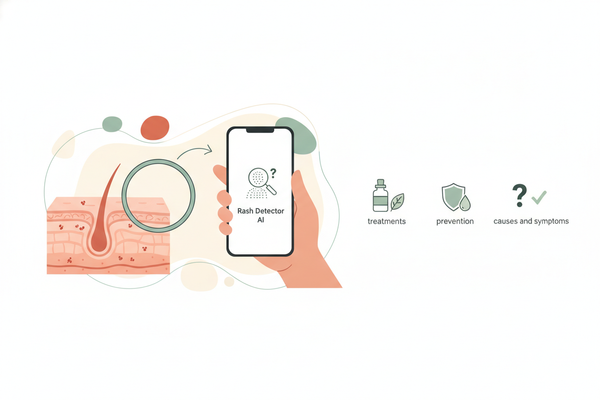
Many individuals use Rash Detector to automate custom notifications, using proactive image capture and AI-driven analysis. The app’s latest version (2026) brings deeper customization and more seamless integrations.
Definition of Tailoring Rash Detection Notifications
Tailoring rash detection notifications means adjusting app alerts—such as severity thresholds, timing, and delivery methods—to each person’s preferences and comfort level. With the 2026 Rash Detector app, users can now set these options per individual profile or for family members under one account.
Key Benefits of Personalized Health Monitoring
- More relevant alerts—reducing unnecessary disruptions
- Reduced intrusiveness—alerts only when needed
- Potential for improved awareness of skin changes through early detection
Understanding Rash Detection Technology
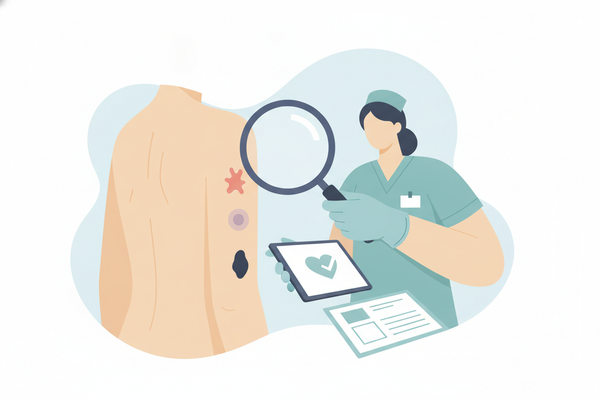
Modern rash detection technology (as of 2026) uses smartphone cameras, AI-powered image analysis, and optional wearables to help spot skin concerns early. Apps like Rash Detector rely on updated machine learning models and user-adjustable thresholds to send timely, relevant alerts.
- Image recognition algorithms: Designed to identify patterns, colors, and shapes of rashes, with potential for improved accuracy due to larger, more diverse datasets in recent years.
- Thresholds: Pre-set or user-adjustable criteria that trigger an alert (e.g., redness level, lesion size). Users can now fine-tune these for different skin types.
- Sensor integration: Temperature sensing, heart rate monitoring, and hydration tracking (in supported wearables) may add context, especially for allergic reactions or inflammation.
The Need for Customization
Generic, one-size-fits-all alerts can lead to missed issues or alarm fatigue. Customization helps ensure each user receives the right alerts at the right time, tailored to their preferences and daily routine.
- Different risk profiles—some users may want all alerts, while others prefer only high-risk notifications.
- Varied lifestyles—busy professionals or parents may want fewer, more targeted notifications.
- Personal comfort—everyone has a unique tolerance for alert frequency and urgency.
Severity-level Customization
Example: A nurse working night shifts may set alerts only for moderate-to-severe rashes to avoid disruption. Sliders and numeric fields let you adjust color-change sensitivity, lesion-size minimums, and even specify triggers for certain types of rashes (e.g., hives vs. eczema).
Frequency and Timing
Define quiet hours (e.g., 10 pm–7 am) with no alerts, and schedule daily report summaries in the morning or evening. The 2026 version allows for custom time blocks, so you can mute notifications during meetings, school hours, or workouts.
How to Tailor Rash Detection Notifications
Follow these steps to set up alert preferences that work for you in the latest Rash Detector app:
- Access customization menu:
Open the app → Tap Settings (gear icon) → Select Notifications or Preferences. - Set thresholds:
Choose rash types (dermatitis, hives, heat rash, etc.) → Pick severity cut-offs → Adjust sensitivity via sliders or numeric values. In 2026, you can also set different thresholds for children vs. adults if using family mode. - Select notification channels:
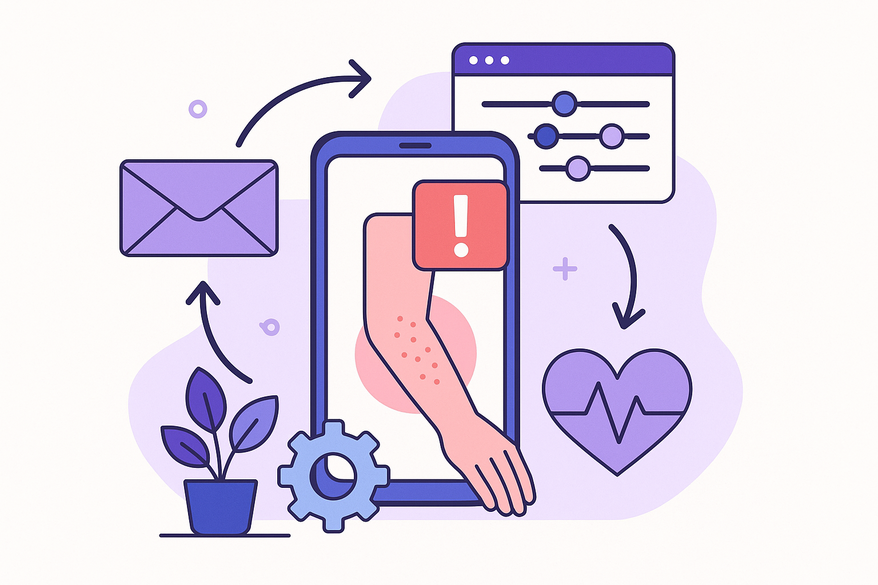
Push notifications for instant alerts → Email for summaries → SMS or in-app banners for critical rashes. The app now supports WhatsApp and other messenger integrations for urgent alerts. - Schedule alert windows:
Define quiet hours → Create custom time blocks for work, exercise, or travel → Set up Do Not Disturb exceptions for emergencies.
Copywriter tip: Always save settings, then run a test alert to confirm your new preferences work as expected. This helps ensure you won’t miss important updates.
Advanced Customization Options
- Color coding & urgency tags: Red = high urgency, Yellow = medium severity, Green = low priority. The 2026 update allows users to customize these color codes for accessibility.
- Integration with health ecosystem: Sync with Apple Health, Google Fit, Samsung Health, or Fitbit. Link wearables for richer AI inputs, including continuous temperature and hydration data.
- Historical data & adaptive alerts: Machine learning can analyze your past events to help reduce false positives or increase sensitivity over time. The app now offers a "Smart Sensitivity" mode that adapts based on your feedback and health trends.
Best Practices for Personalized Monitoring
- Experimentation framework: Start at moderate sensitivity, track false positives vs. missed alerts for two weeks, then adjust thresholds in small increments. Use the built-in analytics dashboard to review your alert history.
- Avoiding notification fatigue: Set a maximum daily alert count and prioritize high-severity tags. Use the app’s new "Alert Digest" feature for a daily summary instead of real-time notifications.
- Regular updates: Review settings monthly or after lifestyle changes; log changes and outcomes in your app journal. The app can now remind you to revisit your settings after significant health events or app updates.
Conclusion
Customizing rash detection notifications can help you take a more proactive approach to monitoring your skin health. By tailoring severity thresholds, timing, and delivery methods, you may receive more relevant alerts without unnecessary noise. Open your rash detection app now, adjust your preferences, and start monitoring on your terms.
Important: Rash Detector and similar apps provide general, educational information only. They do not offer a diagnosis. If you have a rash that is severe, spreading, painful, persistent, or accompanied by other symptoms, see a doctor or dermatologist for diagnosis and treatment.
FAQ
Q: How do I reset to default alert settings?
A: Go to Settings → Notifications → Reset to Default. The 2026 update also allows you to save and restore custom profiles for different users.
Q: Can I assign different thresholds for different body areas?
A: Yes. Navigate to Body-Zone Settings → select the area → adjust cut-offs per zone. You can now create custom body maps for more precise tracking.
Q: Will integrations drain my battery faster?
A: New low-power modes (2026) are designed to help minimize battery use. Enable integrations only when needed and use low-power Bluetooth mode for wearables. You can monitor battery impact in the app’s Device Settings panel.